
Skip to content
v v1.8.0

Tabs

Preview - White BG

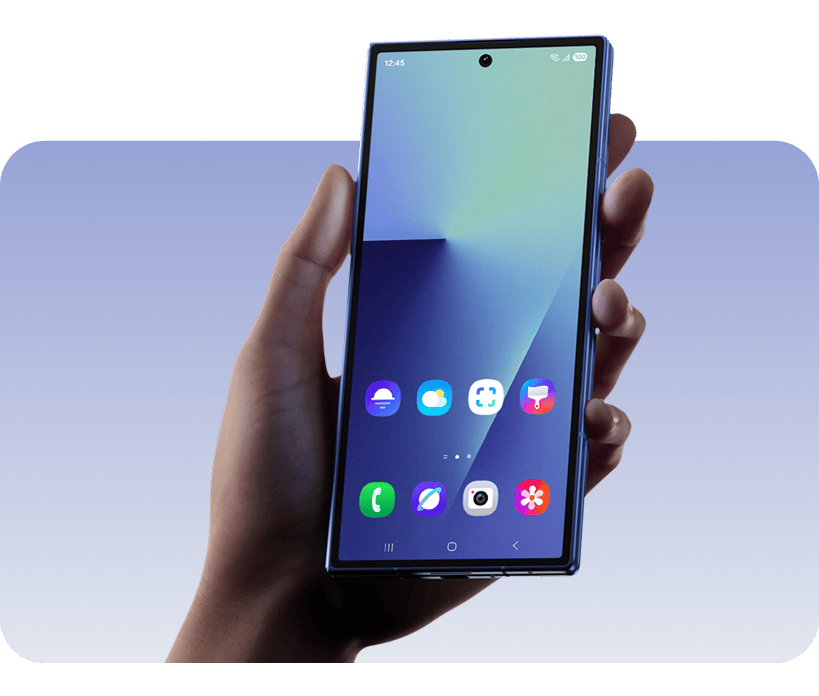
Unfold a bigger, better view
With a newly expanded 6.5" cover screen2 with a 21:9 aspect ratio, it's easier to hold and type on than ever. And, with a huge 8" main screen,3 it's the most expansive display on a Galaxy smartphone.1
A view of the Galaxy Watch Ultra face with health feature highlights around it.
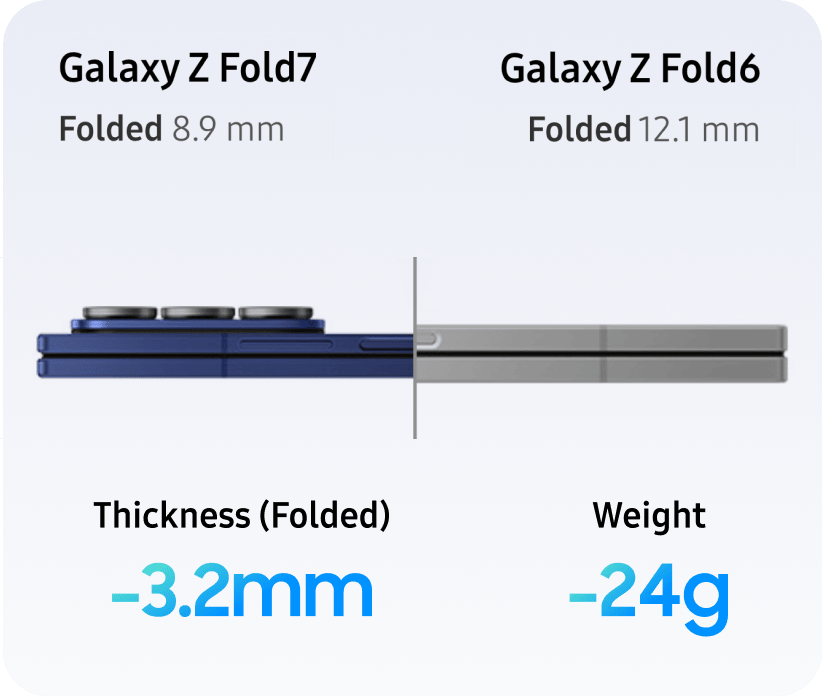
Ultra slim. Ultra light
Lighter and more pocket-friendly than ever before,1 measuring just 4.2mm when unfolded and weighting only 215g - less than a large bar of chocolate.
A view of the Galaxy Watch Ultra face with health feature highlights around it.
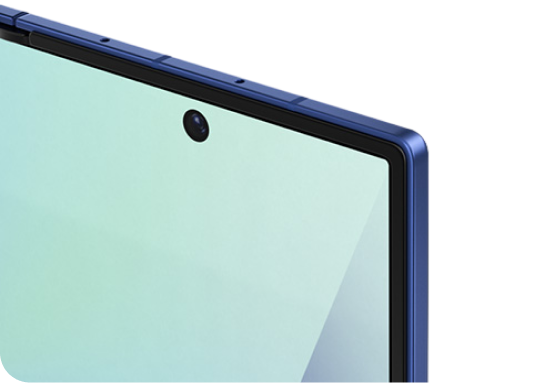
Advanced Armour Aluminium4
Thinner in form, stronger and more durable.11
placeholder image
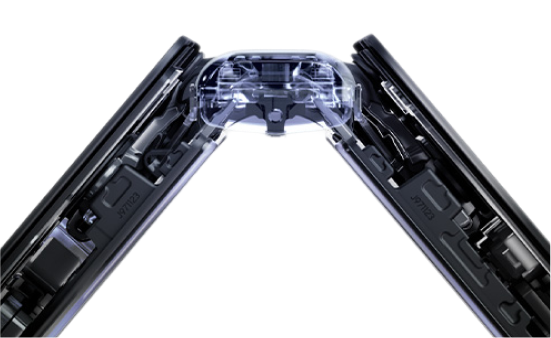
Built strong with Armour FlexHinge
Armour FlexHinge closes thinner1 while protecting.
placeholder image
Tough from front and back
Corning® Gorilla® Glass Ceramic 2 glass applied for resilience.5
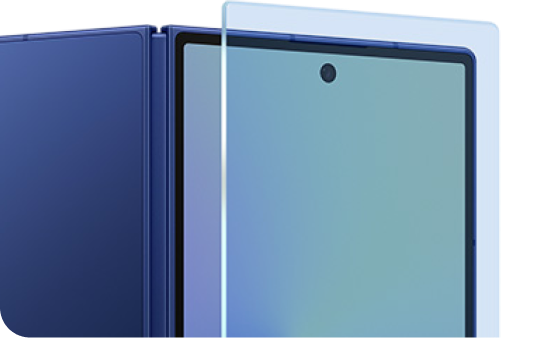
placeholder image

PropTypeRequiredDescriptionExample
tabLabelsstring[]YesArray of tab label text['Design', 'Camera']
themestringYesColor of active tab indicator. Use “white” for black indicator on white backgrounds"black", "white", "#FF5733"
prefixstringYesUnique identifier for this tab instance (required when using multiple tabs on same page)"design", "camera"

The component can tske any content withiin the ‘slot’ areas

If you have 3 tabs in tabLabels, use tab1-slot, tab2-slot, and tab3-slot and so on

Each tab component MUST have a unique prefix:

❌ Wrong - tabs will interfere with each other:

<ISiteTabs prefix="tabs" tabLabels={designTabs} theme="white" />
<ISiteTabs prefix="tabs" tabLabels={cameraTabs} theme="black" />

  • theme="white" automatically uses black indicator (for visibility)
  • Any other color value is used directly: theme="red", theme="#1428A0"

index.astro
let tabLabels = ['High resolution', 'Nightography', 'Selfie camera'];
<ISiteTabs tabLabels={tabLabels} theme="white" prefix="camera">
<div slot="tab1-slot">
<SideBySideBlock
heading="<strong>Unfold a bigger, better view</strong>"
bodyCopy="With a newly expanded 6.58&quot; cover screen<sup class='srp-footnote'>2</sup> with a 21:9 aspect ratio, it's easier to hold and type on than ever. And, with a huge <strong>8&quot; main screen</strong>,<sup class='srp-footnote'>3</sup> it's the most expansive display on a Galaxy smartphone.<sup class='srp-footnote'>1</sup>"
imageUrl="assets/images/tab-image1.png"
imageAlt="A view of the Galaxy Watch Ultra face with health feature highlights around it."
imageWidth="546"
/>
</div>
<div slot="tab2-slot">
<SideBySideBlock
heading="<strong>Ultra slim. Ultra light</strong>"
bodyCopy="Lighter and more pocket-friendly than ever before,<sup class='srp-footnote'>1</sup> measuring just <strong>4.2mm</strong> when unfolded and weighting only <strong>215g</strong> - less than a large bar of chocolate."
imageUrl="assets/images/tab-image2.png"
imageAlt="A view of the Galaxy Watch Ultra face with health feature highlights around it."
imageWidth="546"
reverseLayout
/>
</div>
<div slot="tab3-slot">
<ThreeColBlock>
<Fragment slot="col-one">
<CopyBlock
heading="Advanced Armour Aluminium<sup class='srp-footnote'>4</sup>"
headingBold
bodyText="<strong>Thinner</strong> in form, <strong>stronger</strong> and more durable.1<sup class='srp-footnote'>1</sup>"
extraClasses="px-4p! pb-0!"
/>
<img src="/assets/images/advanced-armour.png" alt="placeholder image" class="w-full" width="300px" />
</Fragment>
<Fragment slot="col-two">
<CopyBlock
heading="Built strong with Armour FlexHinge"
headingBold
bodyText="Armour FlexHinge <strong>closes</strong> <strong>thinner</strong><sup class='srp-footnote'>1</sup> while protecting."
extraClasses="px-4p! pb-0!"
/>
<img src="/assets/images/built-strong.png" alt="placeholder image" class="w-full" width="300px" />
</Fragment>
<Fragment slot="col-three">
<CopyBlock
heading="Tough from front and back"
headingBold
bodyText="<strong>Corning® Gorilla® Glass Ceramic 2</strong> glass applied for resilience.<sup class='srp-footnote'>5</sup>"
extraClasses="px-4p! pb-0!"
/>
<img src="/assets/images/tough-from.png" alt="placeholder image" class="w-full" width="300px" />
</Fragment>
</ThreeColBlock>
</div>
</ISiteTabs>

**Note:

## HTML Entities in Content
Use `{QuoteSymbol}` component instead of `&quot;`:
```astro
import { QuoteSymbol } from '/components/HTMLEntities.astro';
bodyCopy={`6.5${QuoteSymbol }/> cover screen`}
```